

product feature
Litify Email Files
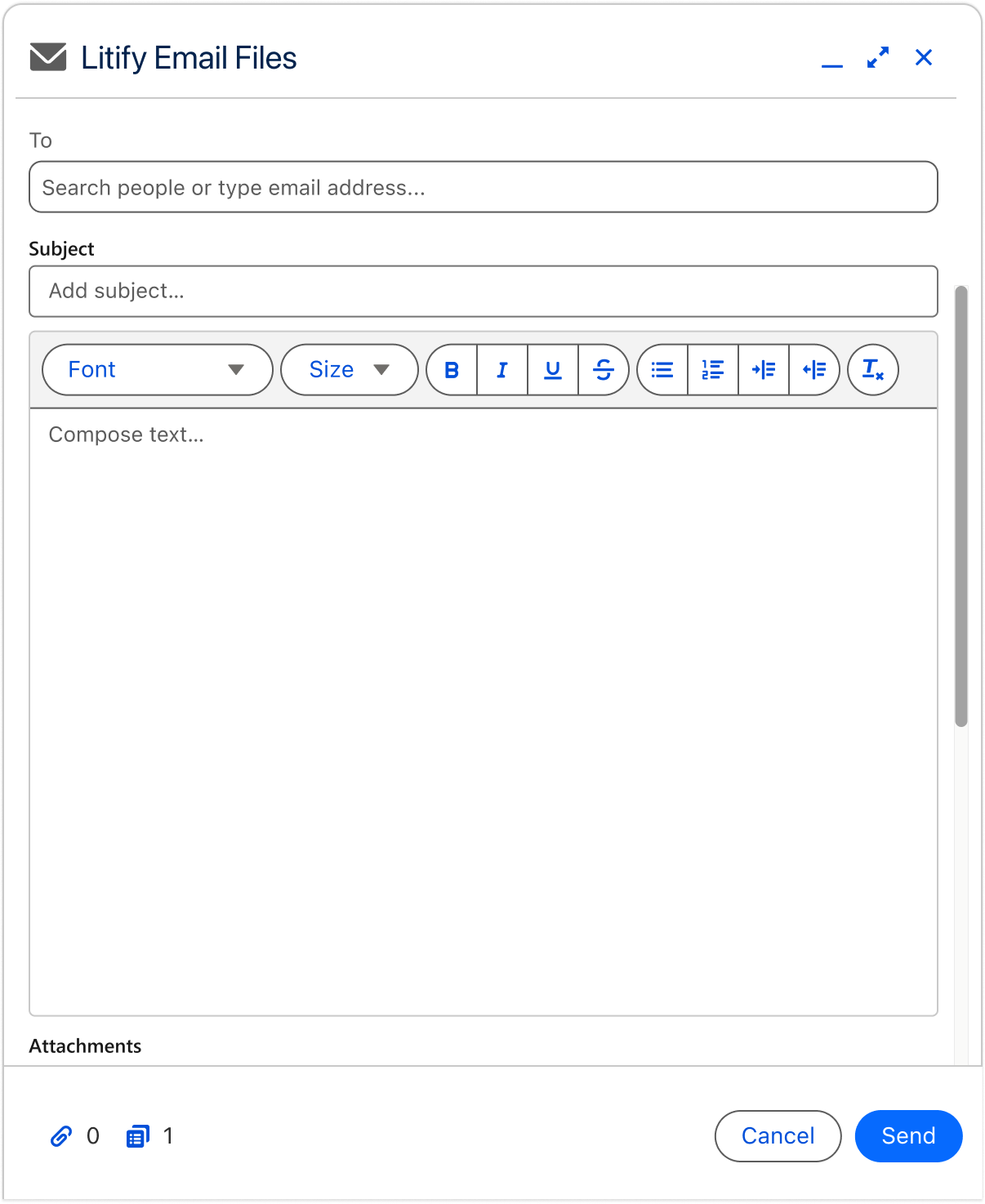
Bringing a familiar email workflow into Litify.
Legal professionals regularly needed to send case files to clients, counsel, and other contacts. The files lived in Litify, but sending them meant downloading the document, moving into Outlook, finding the right recipients, composing the message, attaching the file, and managing the communication across two systems.
We set out to reduce that friction by letting users email files directly from Litify.
Role: Product Designer
Responsibilities: Product design, user research, interaction design, prototyping, usability testing, beta iteration
Platform: Litify / Salesforce SaaS
Team: Product + Engineering
The Challenge
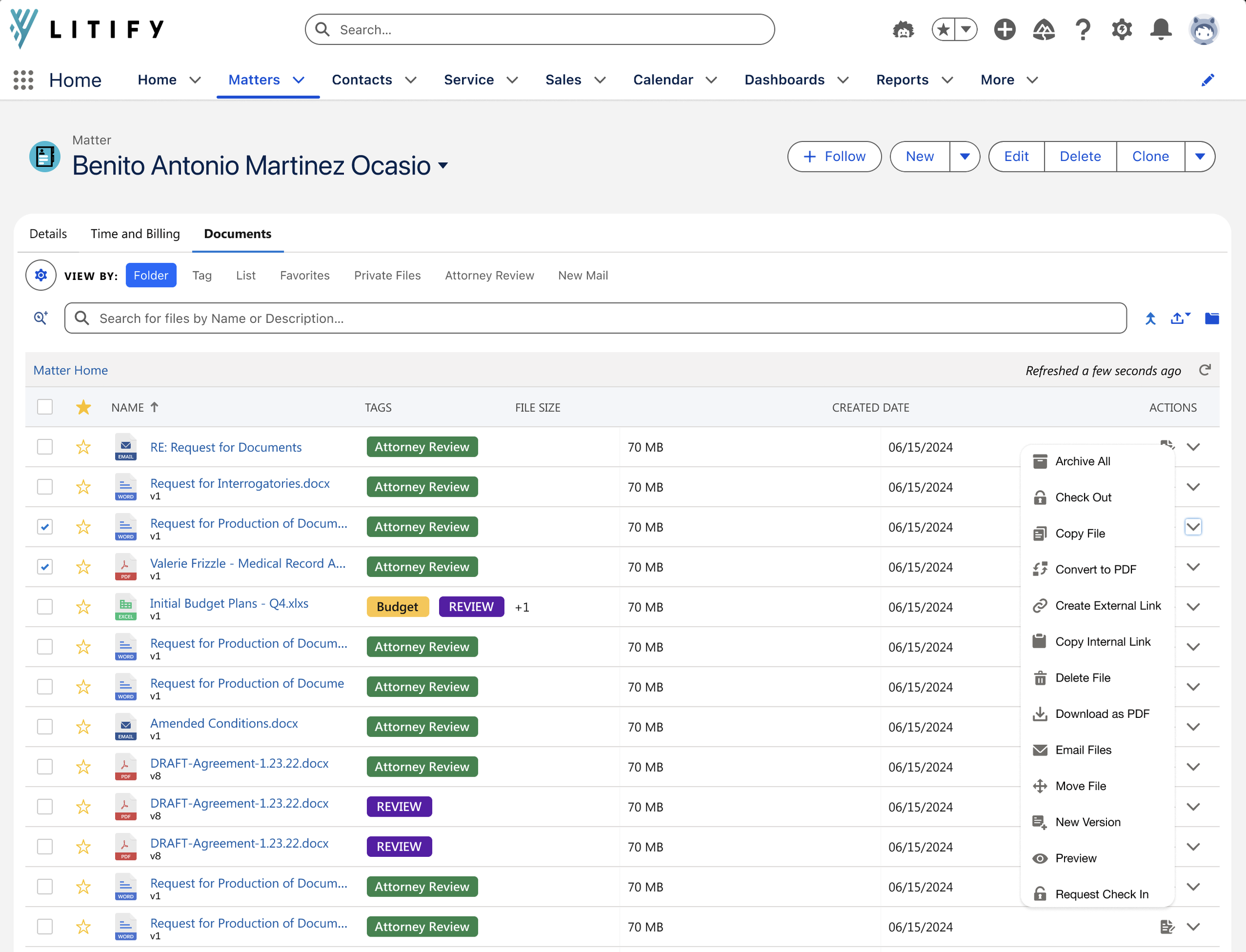
Sending one file required moving between two systems
Litify served as the central location for case information and documents, but users still relied heavily on Outlook to communicate outside the platform.
When someone needed to email a file, they had to leave Litify and rebuild the context of the case inside another tool.
That created unnecessary steps around a task legal professionals performed throughout the day.
Our initial goal was straightforward:
Allow users to select a file in Litify and send it without leaving their case workflow. But making email available inside Litify was only the beginning.
My role
I led the product design work from early research through beta iteration.
I worked with Product and Engineering to understand the existing workflow, define the MVP, translate research into product requirements, design and prototype the experience, test concepts with users, and refine the feature based on feedback.
My work included:
User research and synthesis
Interaction and workflow design
Prototyping
Usability testing
Designing within Salesforce and Litify constraints
Partnering with Product on feature prioritization
Supporting Engineering through implementation
Continuing research and iteration during beta
Starting With the Problem
Email was already a familiar, deeply established workflow. The question was not whether users knew how to send a message, but whether removing a few steps would be enough to keep them inside Litify.
We started with the simplest version of the task:
Select a file
Choose a recipient
Write a message
Send from Litify
The MVP reduced the need to download files and move into Outlook, but research helped us understand what else users relied on before they would change their existing behavior.
What we learned
Research validated the value of sending files directly from Litify, but also showed that the MVP did not support enough of the existing email workflow to change user behavior.
Users needed:
• Templates for repeat communications
• Recipient selection based on case roles
• Merge fields to pull existing matter data into messages
• Saved signatures and familiar email patterns
These findings reframed the opportunity from simply sending a file inside Litify to supporting enough of the surrounding workflow that users no longer needed to return to Outlook.
Designing the experience.
Research pushed the feature beyond a basic email composer.
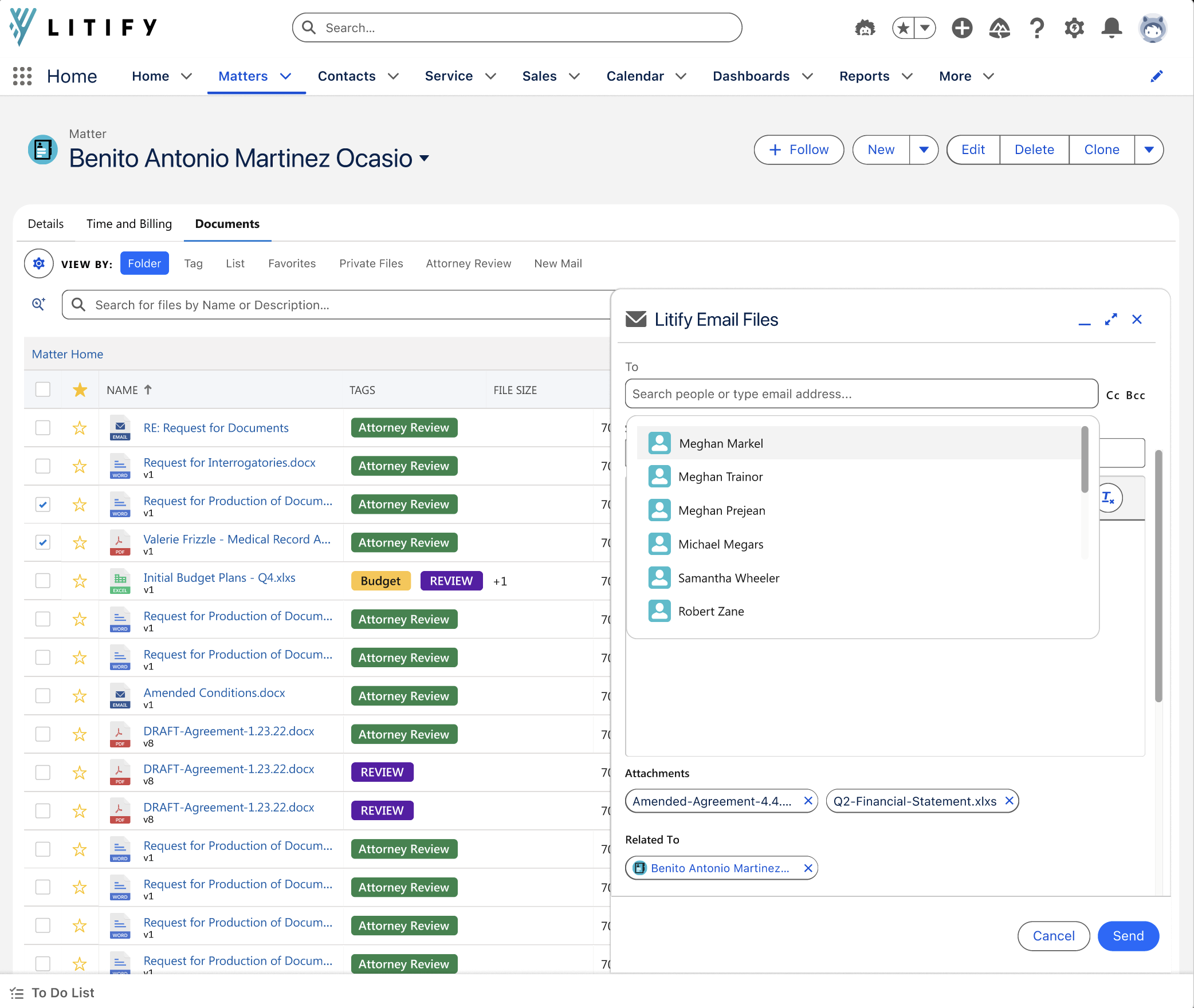
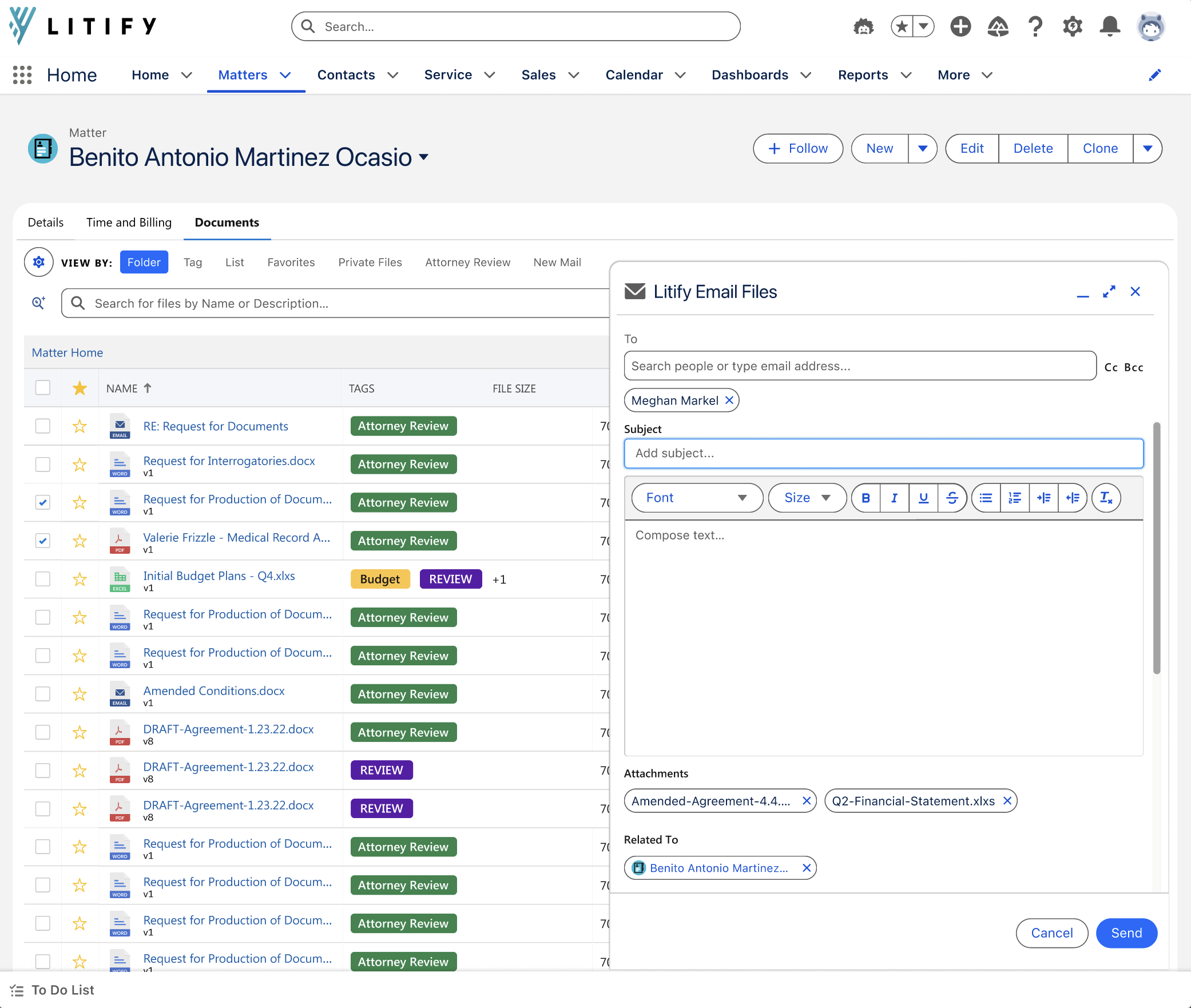
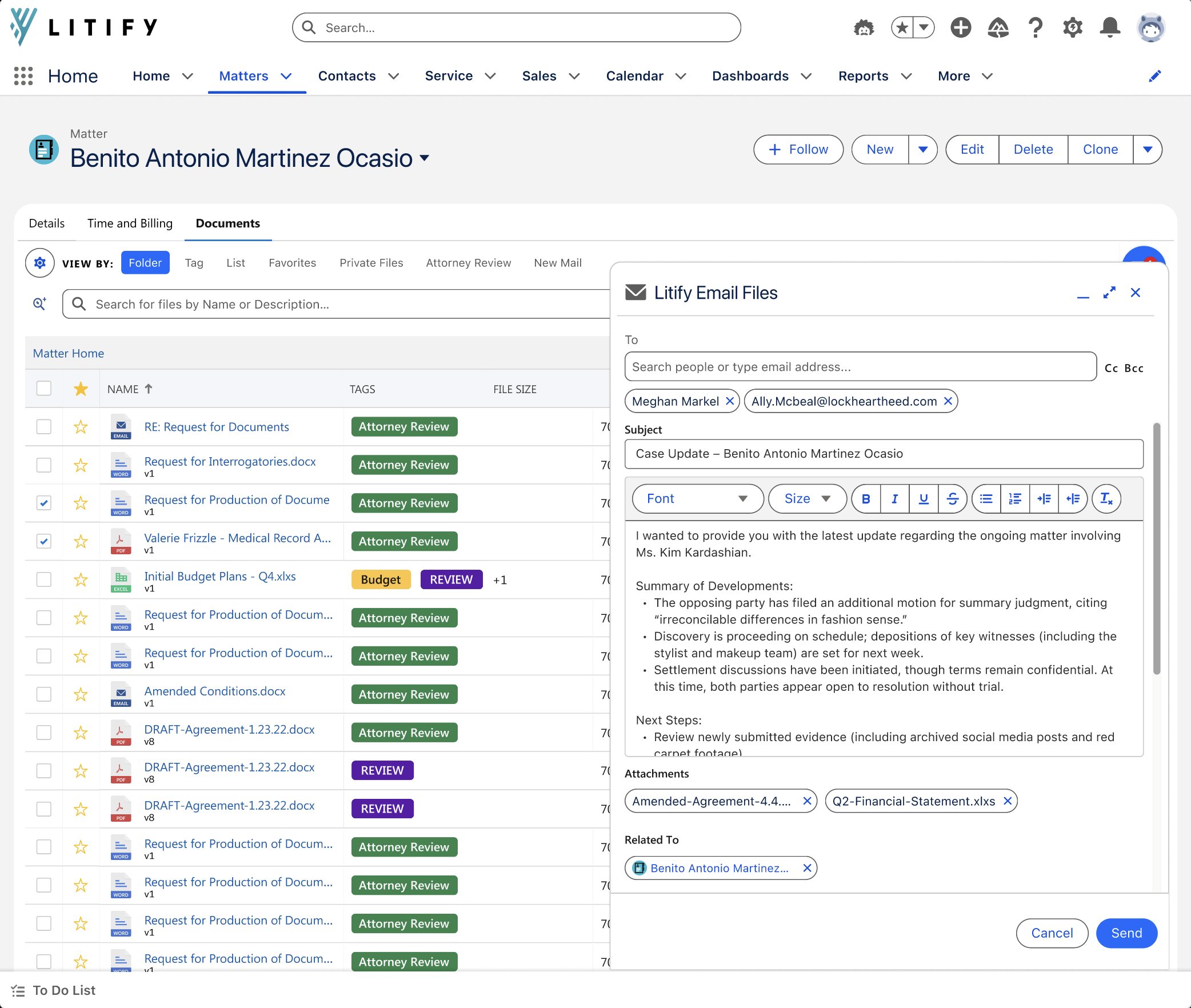
The final experience combined familiar email patterns with the case information already stored in Litify.
The design focused on:
• Starting the workflow directly from the file
• Using case roles to help users find the right recipient
• Supporting reusable templates for common communication
• Pulling matter data into messages through merge fields
• Preserving familiar signatures and email conventions
• Extending the workflow through beta feedback, including reply functionality
The goal was to make the experience feel familiar while reducing the work users had to recreate outside Litify.
The Outcome
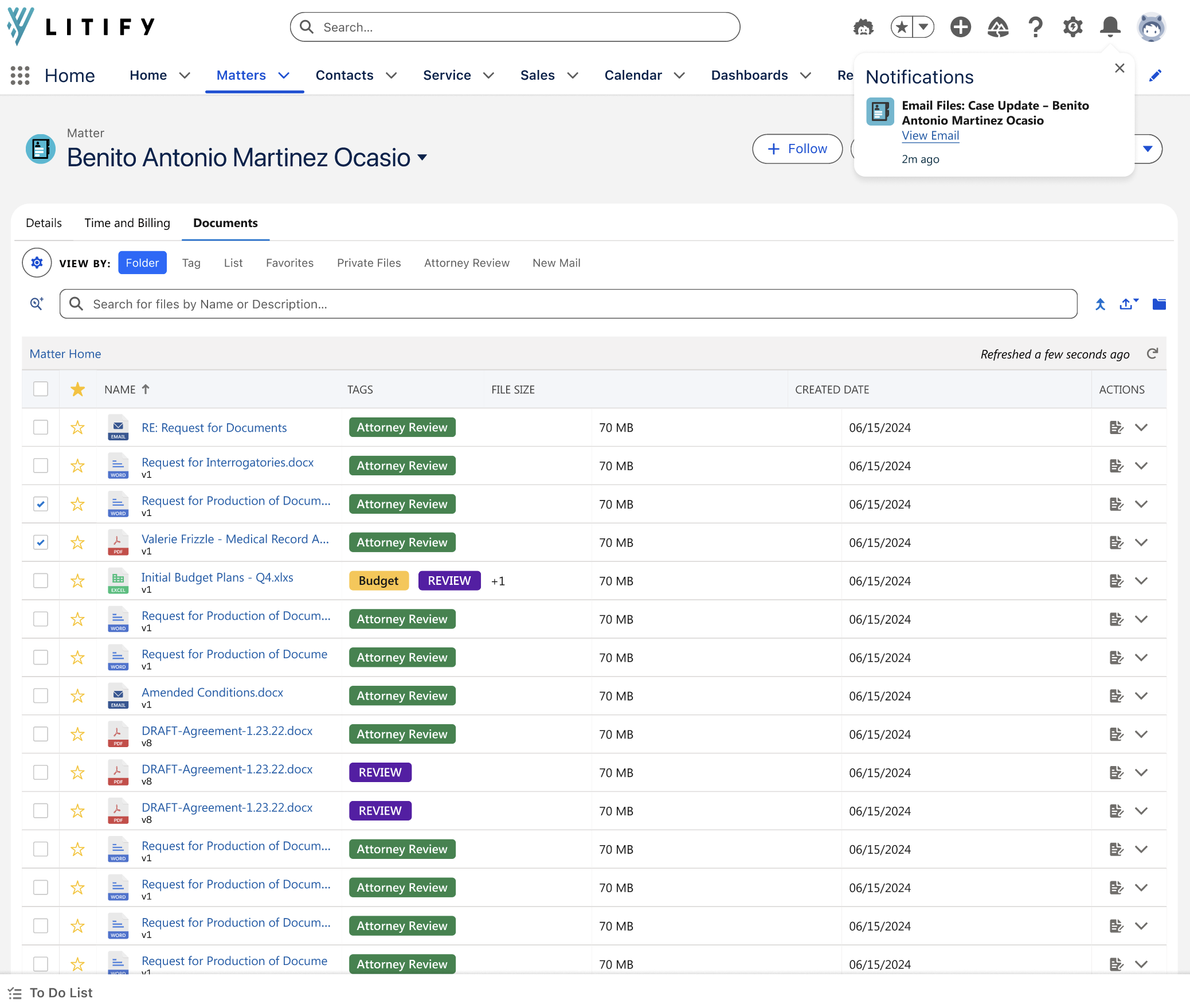
Email Files brought more of the communication workflow into Litify, allowing users to send documents, find the right recipients, reuse common messaging, and pull case information into emails without leaving the platform.
The feature also created a foundation for broader email functionality, including reply workflows developed from beta feedback.
More importantly, the project showed that solving the core task was only part of the opportunity. Research helped shape the feature around the full workflow users needed to change an established behavior.