

product feature
LitifyAI Drafting
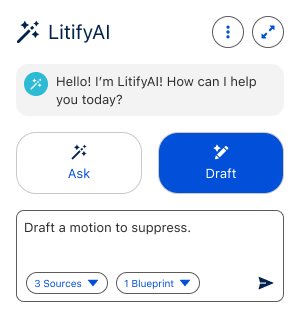
Lawyers working at an Insurance Defense or Plaintiff firm, a large portion of my day is spent writing legal documents. Starting documents from scratch and looking up case data can be time consuming and require navigating records and distilling data.
Introducing LitifyAI Drafting files allows users to access all of the case data in Litify to make it easy to draft a motion and apply relevant case data.
The Process
Design is fundamentally a tool of communicating with and solving for user based problems. To give you insight into my process – I have outlined each phase.
-
In this phase of the design process, we gather as much context as possible around the problem we’re solving.
We conduct interviews with both internal stakeholders and external users to ensure we’re seeing the full picture from every angle.
Insights from this phase – including research findings and competitive analysis – are synthesized into a readout document. This readout is a living reference that guides decisions and keeps the project aligned through completion.
-
During this phase, we translate insights from discovery into thoughtful design solutions that directly address the problems identified.
Once the design direction is stable, we share initial concepts with engineering to confirm technical feasibility and align on timing estimates.
-
At this stage, we validate that the design decisions fully meet the client’s needs and confirm the feature is ready for adoption as designed.
If any concerns or gaps are identified, we incorporate that feedback and refine the design accordingly.
-
At this stage, we review the initial design with Engineering to confirm technical feasibility. Any constraints or recommendations are incorporated into the design before moving forward.
While engineers build the feature – UX will review and create bug tickets as needed
Discovery
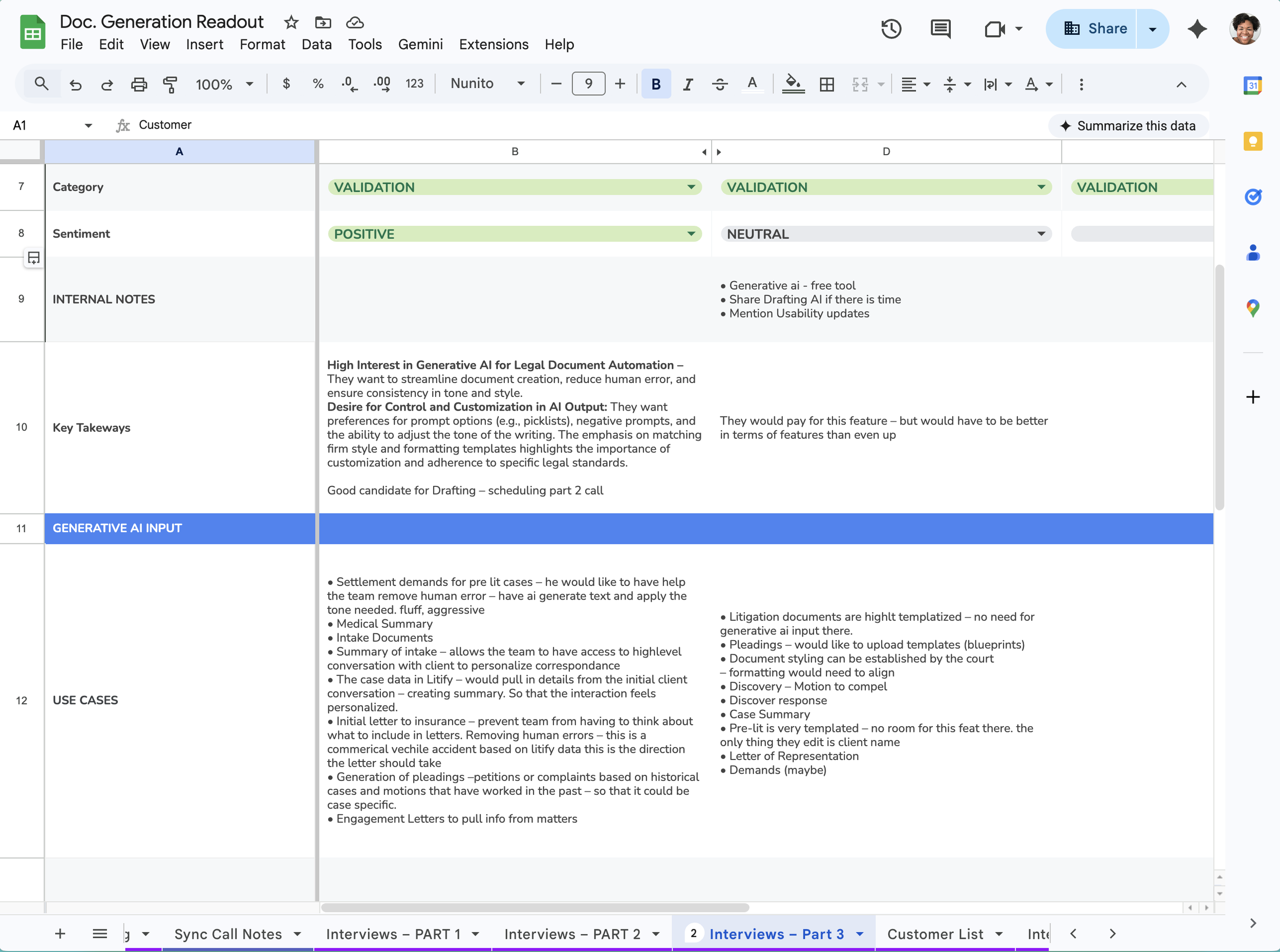
In this phase of the design process, we gather as much context as possible around the problem we’re solving.
What started in ernest as a year long discovery of gaps in our document generation product evolved into needing to find a way for AI to help with document creation. It became evident over the 3 months into research that competitors were outpacing us in that regard.
I reached out to over 100 customers for the research phase of this project – and conducted 8 calls.
Insights from this phase – helped us understand that users weren’t completely sure how AI could enhance their document creation experiences – but they were very interested.
Users communicated that they would love a tool that reduced human error, sped up creation of staple documents, and found AI access to their case data to be invaluable.
Design + Validate
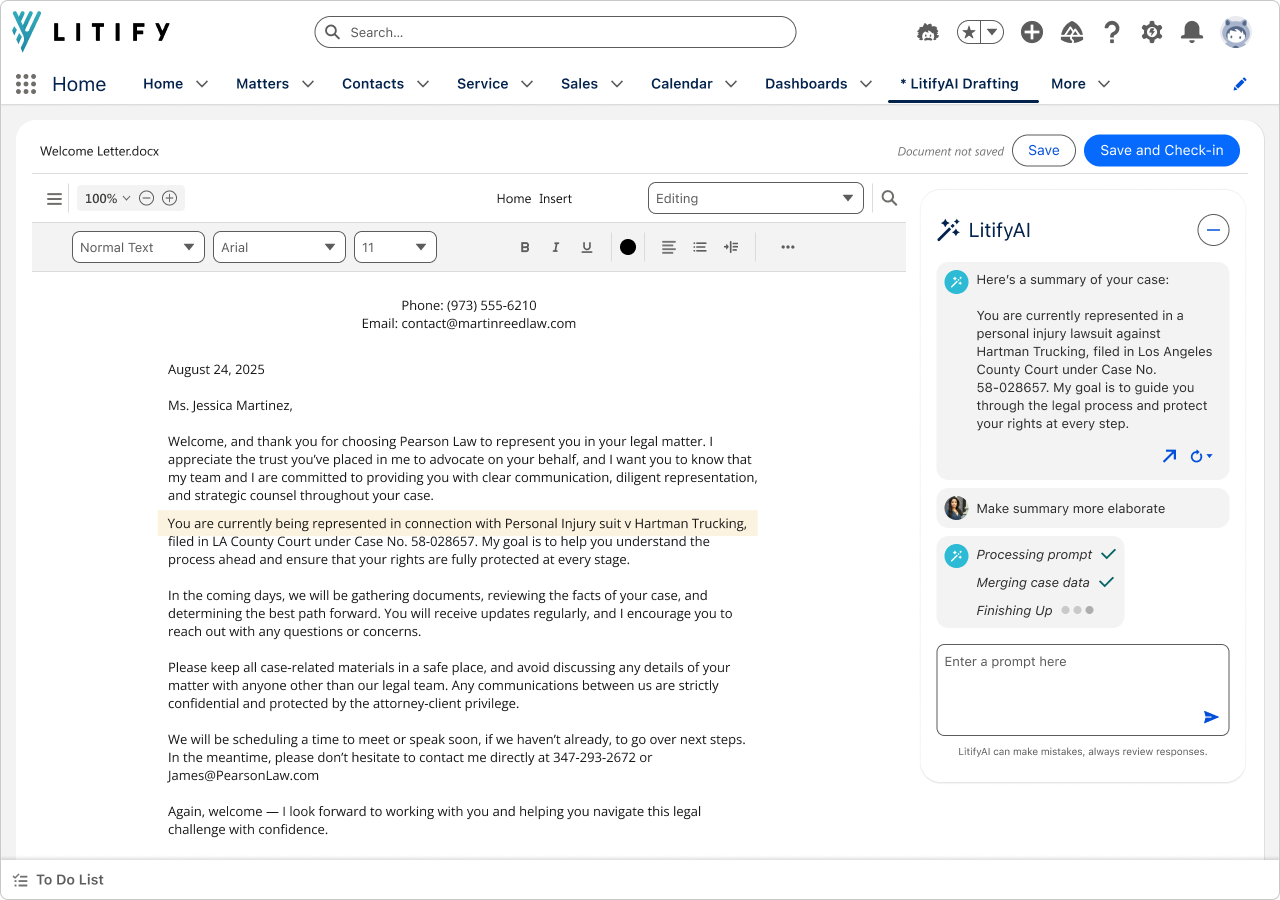
During this phase, we translate insights from discovery into thoughtful design solutions that directly address the problems identified.
Pivoting to include an AI feature – again– was not on the roadmap.
Revving up to understand what AI could and could not do was an undertaking for the entire team. In terms of design – I designed within the constraints and pushed for what I knew customers would need our product to be capable of.
In the end this feature allows users to prompt AI to create a document that includes available and relevant case data, and decide to save that document to Litify.
Production
In the end we designed a custom salesforce component to contain the experience of sending emails from Litify.
Features:
This feature is an add on to existing AI capabilities enabling drafting.
Users can prompt AI to create a document and apply a blueprint to jumpstart the document drafting process.
Users can review responses and decide to create a draft – automatically saving the document to Docrio.